In-Depth Explanation
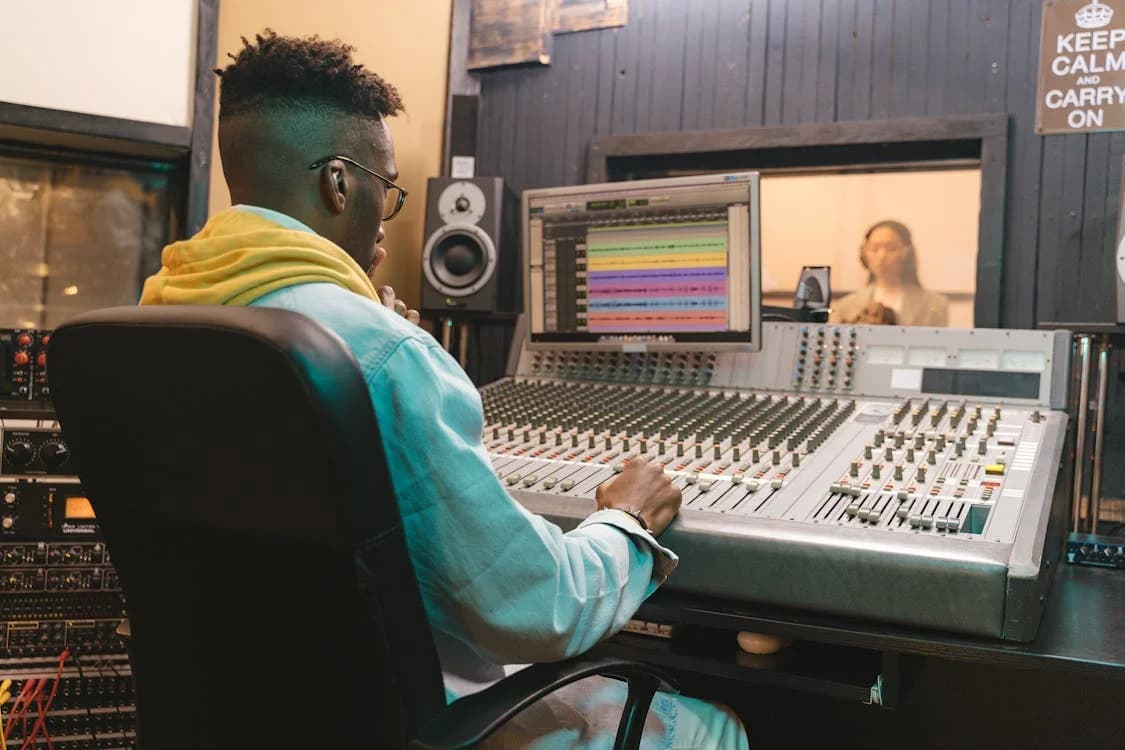
A Digital Audio Workstation (DAW) is software used for recording, editing, mixing, and mastering audio and MIDI data. It serves as the central hub of modern music production, replacing the multi-million dollar hardware consoles and tape machines of the pre-digital era. With a DAW, a computer, and headphones, an artist has every tool needed to produce a commercial release from a bedroom studio.
How a DAW Works
All DAWs share five core capabilities:
-
Audio Recording and Editing: Recording live instruments and vocals through an audio interface. DAWs let you cut, copy, loop, time-stretch, and pitch-shift audio with sample-level precision.
-
MIDI Sequencing: Programming virtual instruments (synthesizers, drum machines, orchestral libraries) using MIDI data. Instead of recording sound, you record instructions: which note, how hard, and how long.
-
Mixing: Balancing volume levels across dozens of tracks, panning them in the stereo field, and applying effects like EQ and Compression.
-
Effects Processing: Hosting plugin formats (VST, AU, AAX) including reverb, delay, saturation, and modulation effects on individual tracks or the full mix bus.
-
Mastering: Applying final processing to the stereo mixdown to meet commercial loudness standards (measured in LUFS) before distribution.
The major DAWs in 2026 include:
- Ableton Live 12: Best for electronic production, beatmaking, and live performance. Its Session View lets producers trigger clips non-linearly. Warping capabilities make it the top choice for EDM producers.
- Logic Pro: Best for songwriting and pop production on Mac. Apple introduced a $12.99/month subscription option alongside the traditional $199 one-time purchase in 2025. Includes a large library of built-in instruments and plugins.
- FL Studio: Best for hip-hop, trap, and EDM beatmaking. Famous for its step-sequencer workflow. Offers lifetime free updates, unique among major DAWs.
- Pro Tools: Best for recording live bands and audio post-production. Remains the standard in commercial recording studios for its audio editing and mixing engine.
- Cubase: Best for orchestral scoring and advanced MIDI editing. Widely used by film composers for its routing and scoring features.
- Studio One: Best for all-in-one production and mastering. Known for its intuitive drag-and-drop workflow and integrated mastering environment.
Real-World Example
A hip-hop producer named Aisha opens FL Studio on her laptop. She loads a drum kit into the step sequencer and programs a 16-bar beat pattern. She then records a bassline through her audio interface, chops a vocal sample, and arranges everything into a full song structure (intro, verse, chorus, verse, chorus, outro).
She mixes the track by adjusting volume faders, panning the hi-hats slightly right, applying Compression to the kick drum, and using EQ to carve space for the bass. She exports the final mix as a WAV file and sends it to a mastering engineer.
The entire process from beatmaking to final export happens inside one piece of software. No external hardware mixer, tape machine, or outboard effects are required.
Why It Matters for Independent Artists
Choosing a DAW is a personal decision based on genre, workflow, and budget. Every major DAW outputs identical audio quality. The math behind the audio engine is the same across platforms. A hit song can be made on any of them.
The practical advice is straightforward:
-
Pick one DAW and learn it deeply. The learning curve is steep for all DAWs. Switching between them wastes time. Pick based on what your favorite producers use and what your friends use, so you have a support network.
-
Use free trials. Most DAWs offer 30 to 90 day trials. Test the workflow before committing money.
-
Consider your platform. Logic Pro is Mac-only. FL Studio, Ableton Live, Pro Tools, and Cubase run on both Mac and Windows.
-
Factor in long-term costs. FL Studio includes lifetime free updates. Logic Pro now offers both a subscription and a one-time purchase. Pro Tools has moved to a subscription model. Ableton Live offers tiered pricing (Intro, Standard, Suite) with paid upgrades between major versions.
In 2026, DAWs are adding Dolby Atmos support for immersive audio production, AI-assisted features like smart tempo detection and automatic vocal tuning, and cloud collaboration tools. FabFilter Pro-C 3, released at NAMM 2026, demonstrates how plugin developers are building native Atmos support up to 9.1.6 format. Read our guide on music production fundamentals and our comparison of the best DAWs in 2026 for more detail.
Related Terms
- MIDI - The data protocol used to program virtual instruments inside a DAW
- Stems - Individual track exports from a DAW for mixing or licensing
- Mastering - The final processing stage completed inside a DAW before release
- Compression - An essential effect applied to tracks within a DAW
- EQ (Equalization) - The other essential effect used alongside compression in mixing