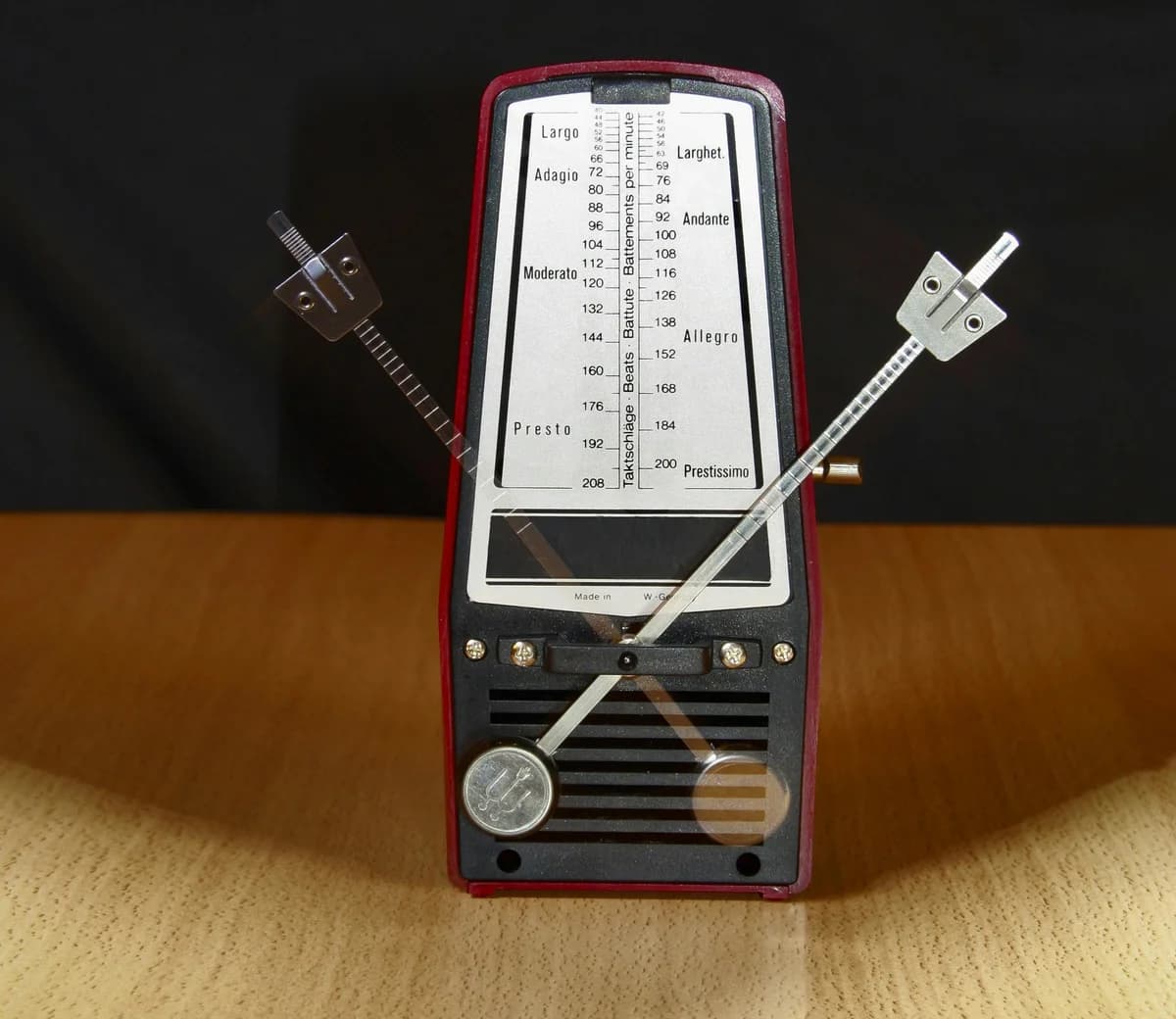
There is a reason a 140 BPM techno track keeps people moving on a dancefloor at 2am while a 70 BPM R&B track makes people slow dance. The difference is not just energy or instrumentation. Tempo is doing specific physiological work on the listener, and experienced producers understand how to use that.
BPM (beats per minute) is the single most fundamental parameter in music production. It shapes everything downstream: whether a sample loops cleanly, whether your reverb smears the next beat, whether your delay creates rhythmic tension or dissolves into wash, whether listeners physically want to move or sit still.
This guide covers what BPM actually is, how it affects listener response at a neurological level, the standard tempo ranges by genre, how to find any track's tempo instantly, and how to use tempo strategically rather than just picking a number and hoping it feels right.
What You'll Learn
- What BPM does to listeners physiologically and why tempo shapes feel
- Standard BPM ranges across major genres with specific examples
- How to find any track's tempo using tap tempo and other methods
- How tempo interacts with sample selection, effects timing, and groove
- When to break genre tempo conventions and why it works
What BPM Actually Is
Beats per minute measures how many beats occur in 60 seconds. At 120 BPM, there are exactly 2 beats per second. At 60 BPM, there is exactly 1 beat per second.
What this means practically: at 120 BPM, the time between beats is 500 milliseconds (ms). At 90 BPM, it is 667ms. At 140 BPM, it is 429ms.
These millisecond differences matter enormously for:
- How delay and reverb tails behave relative to incoming beats
- Whether a groove feels rushed or relaxed
- How much rhythmic space exists between notes
- Whether samples loop cleanly or phase against your grid
The formula for calculating exact beat duration: 60,000ms divided by BPM. At 128 BPM: 60,000 / 128 = 468.75ms per beat.
Why Tempo Affects Listeners Physically
Research published in the Journal of Experimental Psychology found that music with tempos between 120 and 140 BPM correlates with increased heart rate, higher energy expenditure, and elevated arousal states in listeners. Music below 80 BPM is associated with relaxation, reduced heart rate, and contemplative mood states.
This is not subjective. It is rhythmic entrainment: the body's tendency to synchronize biological rhythms (heart rate, breathing, movement) with external rhythmic stimuli. A dancefloor DJ is not just playing music. They are managing the collective physiological state of everyone in the room using tempo as the primary tool.
Practical implications for producers:
- If you want a track to feel driving and urgent, the 125 to 145 BPM range does neurological work on listeners that no amount of production polish can replicate at 90 BPM
- If you want a track to feel introspective or heavy, slower tempos create room in the listener's mind that faster tempos close off
- Tempo transitions within a set (for DJs) or within an album sequence are powerful mood-shaping tools
BPM Ranges by Genre
Understanding genre conventions gives you a map of where listeners' expectations are set. Breaking those expectations strategically requires knowing what you are breaking.
| Genre | Typical BPM Range | Notable Examples |
|---|---|---|
| Ambient / Drone | 40 to 80 | Brian Eno "Music for Airports": ~55 BPM |
| Lo-Fi Hip-Hop | 70 to 90 | Most Lofi Girl playlist tracks: 75 to 85 BPM |
| Trap | 60 to 80 (half-time feel) | Travis Scott "SICKO MODE": 73 BPM |
| Hip-Hop / Boom Bap | 80 to 100 | Notorious B.I.G. "Juicy": 90 BPM |
| R&B / Soul | 60 to 110 | Drake "God's Plan": 77 BPM |
| Pop | 100 to 130 | Dua Lipa "Levitating": 103 BPM |
| House | 120 to 130 | Daft Punk "Around the World": 121 BPM |
| Deep House | 118 to 125 | Larry Heard "Can You Feel It": 120 BPM |
| Techno | 130 to 150 | Most Berghain sets: 135 to 145 BPM |
| Drum & Bass | 160 to 180 | Goldie "Timeless": 170 BPM |
| Hardstyle | 145 to 160 | Various: 150 BPM typical |
These are conventions, not rules. Post Malone's "Rockstar" runs at 160 BPM but does not feel like drum and bass because the rhythmic emphasis and sample palette are hip-hop. Tempo is a parameter that works in combination with everything else.
The Half-Time and Double-Time Trick
Trap and hip-hop heavily use half-time feel: the kick and snare pattern feels like it is at half the actual tempo. A trap track at 70 BPM often feels equivalent to a 140 BPM track in terms of drum density. This is why comparing tempos across genres requires attention to rhythmic feel, not just the number.
Conversely, a 170 BPM drum and bass track often has melodic elements that feel melodically paced at 85 BPM. Learning to hear tempo at different metric levels is a significant production skill.
How to Find Any Track's Tempo
Method 1: Tap Tempo (Fastest for Live Use)
Our BPM tap tempo tool lets you tap along to any track in real time and instantly calculates the BPM from your taps. This is the fastest method when you have audio playing and need a BPM immediately.
How to use it accurately:
- Start tapping on the first beat of a bar
- Tap at least 8 to 16 beats for an accurate reading (more taps = more accurate)
- Tap consistently with the kick drum or snare, not just any audible sound
- Reset if you drift out of rhythm and start fresh
Tap tempo accuracy improves significantly with practice. Most experienced producers can tap to within 1 to 2 BPM of the actual tempo after a few seconds of listening.
Method 2: DAW Detection
Every major DAW (Ableton Live, Logic Pro, FL Studio, Pro Tools) has automatic tempo detection for imported audio. Drop the file in, enable tempo analysis, and the DAW calculates the BPM.
Limitation: DAW analysis struggles with music that has significant tempo variation, swing quantization, or live percussion with timing inconsistencies. A human tap tempo reading is often more useful for samples you are trying to loop.
Method 3: Manual Calculation
Count beats over exactly 15 seconds and multiply by 4. If you count 30 beats in 15 seconds, the track is approximately 120 BPM (30 x 4 = 120).
For odd meters or irregular feels, this method requires counting carefully to identify what constitutes the primary beat unit.
Method 4: Track Databases
Sites like Tunebat and Soundiiz have BPM databases for released tracks. Search by artist and song title to find the catalogued BPM. Useful for finding reference track tempos without having to tap or analyze.
How Tempo Interacts With Production Decisions
Delay Timing
Time-based effects like delay and reverb sound completely different at different tempos because they sync to the beat grid. An eighth-note delay at 120 BPM has a tail of 250ms. The same delay at 80 BPM has a tail of 375ms: noticeably longer, less percussive, more atmospheric.
Formula for calculating delay times:
- Whole note: 60,000 / BPM x 4
- Half note: 60,000 / BPM x 2
- Quarter note: 60,000 / BPM
- Eighth note: 60,000 / BPM / 2
- Sixteenth note: 60,000 / BPM / 4
Most DAW effects allow you to sync delay time to the project tempo, which handles this automatically. When using hardware effects or vintage processors that require manual millisecond input, calculate the target delay time first.
Sample Looping
When you import a sample loop (a drum break, a chord stab, a bassline), it was recorded at a specific BPM. Importing it into a project at a different BPM stretches or compresses it, which changes the pitch and timbre. Knowing the original BPM of the sample lets you:
- Match your project tempo to the sample (cleaner audio quality)
- Time-stretch accurately with the correct settings
- Understand by how many semitones pitch correction will affect the sample if you stretch aggressively
Tap tempo on the original sample to identify its native BPM before importing it into your project.
Groove and Feel
Two tracks at the same BPM can feel completely different based on where exactly the notes fall relative to the grid. Quantized to the grid: mechanical, robotic. Played slightly behind the beat: heavier, more laid-back. Played slightly ahead: more urgent.
The term "groove" describes these small timing deviations from the strict grid. Different grooves are characteristic of different genres: shuffle in blues and jazz, the heavy behind-the-beat feel in trap, the slight ahead-of-the-beat push in early R&B and soul.
Most DAWs have groove quantization presets that let you apply the timing characteristics of famous recordings (the "MPC Swing" feel, the "Akai feel," etc.) to MIDI data.
Tempo and Song Structure
Within a single track, tempo can change for dramatic effect. This is called a tempo change or ritardando (slowing down) and accelerando (speeding up). Most electronic music avoids this because it breaks DJ mixing compatibility. Most live and acoustic music uses it freely.
For producers working in hybrid formats (live elements plus sequenced parts), deciding whether to lock to a fixed tempo grid or allow tempo variation is one of the first production decisions to make.
If your track will be licensed for sync (TV, film, advertising), a perfectly locked tempo grid is standard and expected. Music supervisors and their editors need to cut to a grid. Variable tempo tracks create post-production problems for sync use.
Practical Scenarios for Using Tap Tempo
Sampling a record: You have a vinyl record with a loop you want to use. Tap the BPM, note it, and decide whether to run your project at that BPM or pitch/time-stretch the sample to match a different tempo.
Identifying a DJ set's tempo: You are at a show and want to know the tempo so you can plan your mix. Tap for 8 to 16 beats and you have the number.
Testing a beat you are building: You have a rhythmic idea but have not set the project tempo yet. Hum or clap along to your internal sense of the groove and tap tempo to find the BPM that matches what is in your head.
Learning a song by ear: You want to program a MIDI cover or transcription of an existing track. Find the BPM first so your project grid aligns with the song, making it easier to quantize your notes correctly.
Setting effects on hardware gear: Your analog delay pedal needs a manual millisecond setting. Tap the BPM, calculate the desired subdivision, and set the delay time precisely.
Frequently Asked Questions
Q: What BPM is best for a beat?
A: There is no universally "best" BPM. The right tempo depends on the genre, the emotional feel you want, and the physical context (dancefloor, headphone listening, background music). Use the genre BPM ranges above as a starting reference, then adjust based on how the groove feels.
Q: Why does my sample sound wrong after I import it?
A: If the sample was recorded at a different BPM than your project, time-stretching has altered its pitch or timbre. Find the sample's native BPM using tap tempo, then either adjust your project to match or use high-quality time-stretching in your DAW with the tempo difference in mind.
Q: Can I change the tempo of a song after I have already built the arrangement?
A: Yes, in most DAWs you can use the tempo map to change the project BPM and all tempo-locked elements will follow. Audio clips that are not set to follow the tempo grid will not change. MIDI data will automatically re-quantize to the new tempo. Always save a backup before making significant tempo changes to an existing project.
Q: What is the difference between BPM and time signature?
A: BPM measures speed (how many beats per minute). Time signature measures grouping (how many beats are in each bar). 4/4 time means 4 beats per bar. 3/4 time means 3 beats per bar. A waltz at 120 BPM in 3/4 time feels completely different from a house track at 120 BPM in 4/4 time, even though the raw BPM is identical.
Q: What is double-time and half-time?
A: Double-time means playing or programming at twice the felt rhythmic density relative to the written BPM. Half-time means the opposite. Trap music uses half-time feel extensively: a track at 140 BPM with kicks and snares spaced as if it were 70 BPM creates a heavy, lurching feel. These are production techniques, not tempo changes.
Use Tempo Intentionally
Most producers pick a tempo because it "feels about right" and move on. The ones who understand why specific tempos work in specific contexts make different decisions: they choose tempos that support the emotional function of the track and fit how the music will actually be used and heard.
Use our BPM tap tempo tool to quickly identify tempos while working and our key and BPM finder to analyze tracks you are referencing. Then use that data to make intentional choices rather than defaulting to 120 BPM out of habit.
Next Steps:


