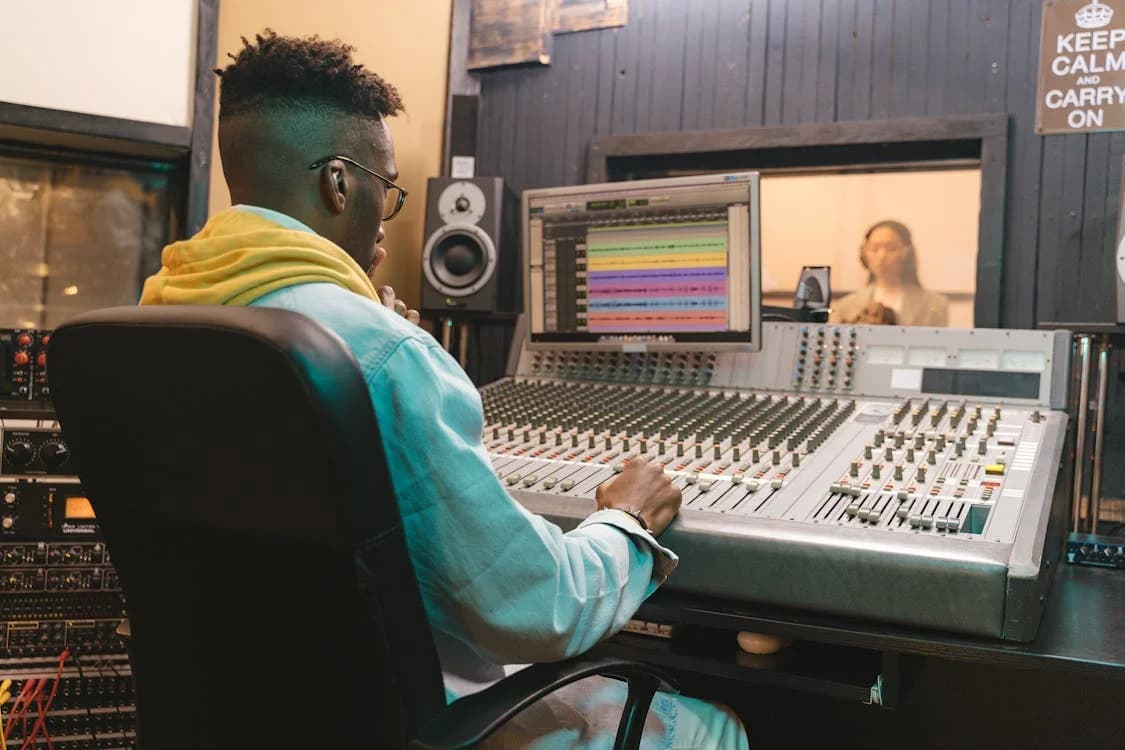
Billie Eilish's debut album, which won four Grammy Awards including Album of the Year, was recorded entirely in her brother's childhood bedroom in Highland Park, Los Angeles. The setup was a laptop, some MIDI controllers, and a single condenser microphone. No professional studio. No label money. Just two people who learned how to use their tools well.
That story is not the exception anymore. It is the template.
The technical barrier to home recording collapsed over the last decade. A laptop, a $100 audio interface, a decent microphone, and a free or inexpensive DAW is genuinely enough to produce professional-quality music from your bedroom in 2026. The gear is not the obstacle. The obstacle is not knowing what to do with the gear once you have it.
This guide covers the fundamentals of music production from the ground up: choosing a DAW, understanding your equipment options at every budget level, the core concepts every producer needs to internalize, the complete production workflow, and the mixing and mastering basics that separate a rough demo from a release-ready track. For the business side of releasing your music once it is ready, read our Music Marketing Masterclass.
What You Will Learn
- How to choose and set up your Digital Audio Workstation (DAW)
- Essential equipment for a home studio at every budget level
- Core music production concepts every producer needs to understand
- The complete production workflow from idea to finished track
- Mixing fundamentals that make your tracks sound professional
- Mastering basics and when to hire a professional
- Common beginner mistakes and how to avoid them
Choosing Your DAW (Digital Audio Workstation)
Your DAW is the software where you create, record, edit, arrange, and mix your music. It is the most important tool in your production setup. Every DAW can produce professional results, so the best choice depends on your workflow preferences, genre, and budget.
Popular DAWs Compared
- Ableton Live 12: Excellent for electronic music, beat-making, and live performance. The Session View is uniquely powerful for improvisation and experimentation. The 12.1 update added Auto Shift (pitch correction), Drum Sampler, and improved MIDI tools. Intro costs $99, Standard costs $499, Suite costs $799. Used by Skrillex, Diplo, and Flume
- Logic Pro 11: Mac-only. Outstanding value at $199.99 for a complete professional suite. The 11.2 update added Enhanced Stem Splitter (up to six stems), Flashback Capture, and Session Players (AI-driven virtual musicians). Used by Calvin Harris, Disclosure, and Kendrick Lamar's production team
- FL Studio 2026: Popular for hip-hop and electronic production. Lifetime free updates after purchase. The 2026 update rebuilt FLEX with 50% lower CPU usage, added cloud project backup, and introduced an AI assistant called Gopher. Fruity edition costs $99, Producer costs $199, Signature costs $299, All Plugins costs $499. Used by Metro Boomin, Martin Garrix, and Avicii
- Pro Tools Studio: Industry standard for professional recording studios and audio engineers. Best for tracking live instruments and mixing. Subscription at $34.99/month or $299/year. Used in virtually every major recording studio worldwide
- Reaper 7: Extremely affordable at $60 for a personal license. Highly customizable. Smaller community but fiercely loyal user base. Excellent for podcasting, game audio, and general production
- GarageBand: Free on every Mac and iOS device. Surprisingly capable for a free DAW. Many professional artists started with GarageBand before upgrading to Logic Pro. Perfect for absolute beginners
How to Choose
If you are completely new to production, start with GarageBand (free on Mac/iOS) or the free trial of your preferred DAW. Spend at least a month learning the basics before investing money. When you are ready to buy, choose based on your primary genre:
- Hip-hop and trap: FL Studio or Ableton Live
- Electronic and dance music: Ableton Live or Logic Pro
- Singer-songwriter and band recording: Logic Pro or Pro Tools
- General purpose on a budget: Reaper or Logic Pro
Essential Home Studio Equipment
Budget Setup ($200 to $500)
- Computer: An M3 or M4 Mac mini starts at $599 and handles most production workloads efficiently. Any laptop with 16GB RAM, an SSD, and a multi-core processor also works. Apple's M-series chips are particularly efficient for music production
- Audio interface ($80 to $150): Focusrite Scarlett Solo or PreSonus AudioBox. Converts analog audio (microphone, guitar) to digital for your computer
- Microphone ($50 to $100): Audio-Technica AT2020 (condenser) or Shure SM58 (dynamic). The AT2020 is better for vocals in a quiet room. The SM58 is nearly indestructible and works well in untreated rooms
- Headphones ($50 to $100): Audio-Technica ATH-M50x or Sony MDR-7506. Closed-back headphones for recording and mixing when you cannot use monitors
- DAW ($0 to $200): GarageBand (free), Reaper ($60), or FL Studio Producer ($199)
- XLR cable ($10 to $20): To connect your microphone to your audio interface
- Pop filter ($10 to $15): Reduces plosive sounds (hard P and B sounds) when recording vocals
Intermediate Setup ($500 to $2,000)
Everything from the budget setup, plus:
- Studio monitors ($200 to $500): Yamaha HS5 or KRK Rokit 5 G4. Monitors give you a flat, accurate representation of your mix that headphones cannot fully replicate
- Better microphone ($200 to $400): Rode NT1-A or AKG C214. Significant improvement in vocal clarity and detail
- Acoustic treatment ($100 to $300): Foam panels, bass traps, and diffusers. Even basic treatment dramatically improves your recording and mixing environment
- MIDI controller ($50 to $200): Akai MPK Mini, Novation Launchkey, or Arturia MiniLab. Essential for playing virtual instruments and programming beats
- Professional DAW ($200 to $750): Logic Pro, Ableton Live Standard, or FL Studio Producer
Professional Setup ($2,000 to $5,000)
Everything from the intermediate setup, plus:
- Premium microphone ($500 to $2,000): Neumann U87, AKG C414, or Telefunken TF29. Studio-grade vocal microphones
- Premium monitors ($500 to $2,000): Adam Audio A7V, Genelec 8030, or Focal Shape 65. Reference-quality accuracy
- Professional acoustic treatment ($500 to $3,000): Custom-built panels, bass traps, and room correction
- Outboard gear ($500 to $5,000): Hardware compressors, preamps, and EQs for analog warmth and character
- Multiple microphones: Different mics for different sources (drums, guitars, vocals, acoustic instruments)
Core Music Production Concepts
Tempo and BPM
BPM (Beats Per Minute) determines the speed and energy of your track. Different genres have characteristic BPM ranges:
- Hip-hop: 80 to 115 BPM
- Pop: 100 to 130 BPM
- House: 120 to 130 BPM
- Drum and bass: 160 to 180 BPM
- Trap: 130 to 170 BPM (often with half-time feel)
- R&B: 60 to 100 BPM
- Rock: 100 to 140 BPM
Use our BPM Tap Tempo Tool to find the tempo of reference tracks you want to match.
Key and Scale
Every song is built around a musical key, which determines which notes sound harmonious together. The most common keys in popular music are C major, G major, D major, A minor, and E minor.
If you are new to music theory, start by learning major and minor scales. A major scale sounds bright and happy. A minor scale sounds darker and more emotional. Most DAWs include scale highlighting features that show you which notes are "in key," making it easy to create melodies and chords without deep theory knowledge.
Song Structure
Most popular songs follow a recognizable structure. Common elements include:
- Intro: Sets the mood. Usually 4 to 8 bars
- Verse: Tells the story. Usually 8 to 16 bars
- Pre-chorus: Builds tension before the chorus. Usually 4 to 8 bars
- Chorus: The hook. The most memorable and emotionally impactful section. Usually 8 to 16 bars
- Bridge: Provides contrast. Different melody, chords, or rhythm. Usually 4 to 8 bars
- Outro: Wraps up the song. Usually 4 to 8 bars
A typical pop song structure is Intro, Verse, Chorus, Verse, Chorus, Bridge, Chorus, Outro. Hip-hop often follows Intro, Verse, Hook, Verse, Hook, Verse, Hook. Electronic music frequently uses an Intro, Build, Drop, Break, Build, Drop, Outro structure.
Arrangement
Arrangement is the art of deciding which instruments play when and how they interact throughout the song. Good arrangement creates contrast between sections, builds energy toward choruses and drops, and keeps the listener engaged from beginning to end.
Key arrangement principles:
- Add elements gradually. Do not start with every instrument playing at once. Build layers as the song progresses
- Create contrast between sections. Verses should feel different from choruses. Use dynamics (loud vs. quiet), density (few instruments vs. many), and register (high vs. low) to create contrast
- Leave space. Not every moment needs to be filled with sound. Silence and space are powerful tools
- Reference professional tracks. Import a reference track into your DAW and study how professional producers arrange their songs
The Production Workflow
Step 1: Ideation and Sketching
Start with your core musical idea. This might be a chord progression, a melody, a beat, a lyric, or even a feeling or mood you want to capture. Record it quickly in its roughest form before you lose the inspiration.
Many producers keep a folder of "sketches" or "ideas" on their phone or computer. Not every idea becomes a finished song, but having a library of starting points makes it easier to begin new projects.
Step 2: Building the Foundation
Establish the rhythmic and harmonic foundation of your track:
- Drums and percussion: Program or record the beat. Start with kick, snare, and hi-hats, then add percussion layers
- Bass: Lock the bass line to the kick drum pattern. The relationship between kick and bass is the foundation of your entire mix
- Chords and harmony: Add chord progressions using piano, synth pads, or guitar. These define the emotional character of the song
Step 3: Melody and Topline
Add the primary melodic elements:
- Vocals: Record guide vocals or final vocals. Even if you plan to re-record later, having a vocal early helps you arrange the track around the voice
- Lead instruments: Synth leads, guitar riffs, or other melodic elements that complement the vocal
- Counter-melodies: Secondary melodies that add interest during instrumental sections or behind verses
Step 4: Arrangement and Editing
Shape the raw material into a complete song:
- Arrange sections in the correct order (verse, chorus, bridge, etc.)
- Edit timing and pitch as needed. Use quantization carefully for drums (too much kills the human feel) and pitch correction sparingly for vocals
- Add transitions between sections (risers, sweeps, drum fills, silence)
- Create builds and drops through automation (gradually increasing volume, filter sweeps, adding layers)
Step 5: Mixing
Mixing is the process of blending all individual tracks into a cohesive stereo audio file. This is where your track goes from sounding like a rough demo to sounding like a polished release.
Mixing Fundamentals
Volume Balance
Start every mix by setting relative volume levels with all effects bypassed. The vocal or lead melody should be the loudest element. Kick and snare should be prominent but not overpowering. Bass should be felt but not muddy. Supporting instruments should fill space without competing with the lead.
EQ (Equalization)
EQ shapes the tonal balance of each track. The most important EQ principle for beginners is subtractive EQ: rather than boosting frequencies you want more of, cut frequencies you want less of.
Common EQ moves:
- High-pass filter everything except kick and bass. Roll off frequencies below 80 to 100 Hz on vocals, guitars, synths, and other non-bass instruments. This removes rumble and clears space for the kick and bass
- Cut muddiness at 200 to 400 Hz. Many instruments accumulate energy in this range, creating a muddy, unclear sound. Gentle cuts here clean up the mix dramatically
- Add vocal presence at 2 to 5 kHz. A gentle boost in this range helps vocals cut through the mix
- Add air and sparkle at 10 to 16 kHz. Subtle boosts here add brightness and openness to vocals and acoustic instruments
Use our Frequency to Note Calculator to understand the relationship between musical notes and frequencies.
Compression
Compression reduces the dynamic range of an audio signal, making quiet parts louder and loud parts quieter. This creates a more consistent and polished sound.
Key compression parameters:
- Threshold: The level above which compression starts. Set it so the compressor engages on louder passages
- Ratio: How much compression is applied. 2:1 to 4:1 is gentle. 8:1 to 20:1 is heavy. Infinity:1 is limiting
- Attack: How quickly compression engages. Fast attack tames transients (the initial punch of drums). Slow attack lets transients through and compresses the sustain
- Release: How quickly compression stops. Match the release to the tempo and rhythm of the material for transparent compression
For vocals, start with a ratio of 3:1 to 4:1, medium attack, and medium release. Adjust until the vocal sounds even and controlled without sounding squashed or lifeless.
Reverb and Delay
Reverb and delay create the sense of space and depth in your mix.
- Reverb simulates acoustic spaces. Short reverb (0.5 to 1.5 seconds) creates intimacy. Medium reverb (1.5 to 3 seconds) adds warmth. Long reverb (3+ seconds) creates atmosphere and grandeur
- Delay creates echo effects. Short delay (under 100ms) creates width and thickening. Medium delay (100 to 500ms) creates rhythmic interest. Long delay (500ms+) creates ambient effects
Use our Delay Time Calculator to sync your delay times to the BPM of your track for rhythmically coherent effects.
Panning
Panning places sounds in the stereo field from left to right. Effective panning creates width and separation.
General panning guidelines:
- Center: Vocals, kick drum, snare drum, bass. These are the foundation and should be anchored in the center
- Slightly off-center: Rhythm guitars, synth pads, background vocals. Pan similar elements opposite directions for width
- Wide: Hi-hats, percussion, effects, ambient textures. These elements create the sense of stereo space
Mastering Basics
Mastering is the final step before release. It ensures your track sounds polished, loud enough to compete with other releases, and translates well across different playback systems (headphones, car speakers, phone speakers, club systems).
What Mastering Does
- Loudness optimization: Brings your track to competitive loudness levels (-14 LUFS is the streaming standard for Spotify and Apple Music)
- Tonal balance: Ensures the frequency balance is even and translates across playback systems
- Stereo enhancement: Optimizes the stereo image for width and clarity
- Final limiting: Prevents digital clipping while maximizing perceived loudness
Recording Standards for 2026
The recommended sample rate and bit depth for recording in 2026 is 48kHz / 24-bit. This has become the industry standard for several reasons:
- 48kHz covers the full range of human hearing with headroom for processing
- 24-bit gives you approximately 144 dB of dynamic range, more than enough for any recording scenario
- 48kHz is the standard for video audio, so your music will sync properly with video content without sample rate conversion
- Most streaming platforms accept 48kHz/24-bit files without any downsampling issues
If your project is specifically for CD release, 44.1kHz/16-bit is still the CD standard. But for recording and mixing, 48kHz/24-bit gives you the best balance of quality and file size.
DIY Mastering vs Professional Mastering
For your first releases, DIY mastering is perfectly acceptable. Use a limiter to bring your track to -14 LUFS (the loudness standard for Spotify and Apple Music) and ensure there is no clipping.
As your music gains traction and you start earning revenue, investing $50 to $150 per track in professional mastering from a dedicated mastering engineer is one of the best investments you can make. Professional mastering engineers have acoustically treated rooms, calibrated monitoring systems, and years of experience that are difficult to replicate in a home studio.
Online mastering services like LANDR and eMastered offer automated AI mastering for $5 to $15 per track. While not as nuanced as a human mastering engineer, they provide a significant improvement over no mastering at all.
AI Tools for Music Production in 2026
AI tools have become practical additions to the production workflow. They are not replacing producers, but they are saving time on repetitive tasks and opening new creative possibilities.
AI Mastering
- LANDR: Automated AI mastering for $5 to $15 per track. Upload your mix and get a mastered version in minutes. Good for demos and quick releases. LANDR also offers a Fair Trade AI program that pays you for licensing your music to AI training datasets
- eMastered: Similar AI mastering service with more customization options. Used by many independent artists for budget mastering
AI Stem Separation
- Moises: AI-powered stem separation app that splits any audio file into vocals, drums, bass, and other components. Useful for remixes, sampling, and learning how professional tracks are arranged
- RipX: DeepAudio stem separation and audio manipulation tool. More advanced than Moises, with the ability to edit individual notes within separated stems
- Logic Pro 11.2 Enhanced Stem Splitter: Built into Logic Pro, separates audio into up to six stems (vocals, drums, bass, guitar, piano, other) with improved fidelity
- FL Studio 2026: Includes stem separation capabilities in the latest version
AI Composition Assistants
- FL Studio Gopher: AI assistant built into FL Studio 2026 that can organize tracks, route mixer channels, generate Piano Roll content, and control plugin parameters
- Logic Pro Session Players: AI-driven virtual musicians that generate bass, keyboard, and drum parts based on your chord progressions and project settings
- Cubase 15 Omnivocal: Yamaha's vocal synthesis engine (beta) that generates human-like singing voices from lyrics and notes entered in the Key Editor
Use AI tools to speed up your workflow, not to replace your creative decisions. The best producers use AI for the tedious parts and save their creative energy for the choices that matter.
30-Day Learning Path for Absolute Beginners
If you are starting from zero, here is a structured plan to get productive in 30 days:
Days 1-5: Setup and Navigation
- Download a free DAW (GarageBand on Mac, Cakewalk on Windows, or Reaper's 60-day trial)
- Watch one beginner tutorial for your chosen DAW (no more than 30 minutes)
- Create a new project, import an audio file, and learn to navigate the interface
- Set your sample rate to 48kHz and bit depth to 24-bit (the 2026 standard for recording)
Days 6-10: Rhythm and MIDI
- Program a simple drum beat using your DAW's built-in drum sounds
- Learn how to create a MIDI track and program a basic kick-snare-hihat pattern
- Experiment with tempo (use our BPM Tap Tempo Tool to find tempos)
- Try building a 4-bar drum loop
Days 11-15: Harmony and Melody
- Learn major and minor scales (start with C major and A minor)
- Program a simple chord progression (try C-G-Am-F)
- Add a bass line that follows your chord progression
- Add a simple melody on top
Days 16-20: Arrangement
- Take your 4-bar loop and extend it into a full song structure (intro, verse, chorus, verse, chorus, bridge, chorus, outro)
- Add transitions between sections (risers, drum fills, silence)
- Use automation to create builds and drops
Days 21-25: Basic Mixing
- Set volume levels for all your tracks
- Apply a high-pass filter to non-bass instruments
- Add reverb to vocals and lead instruments
- Pan instruments to create stereo width
- Reference your mix against a professionally produced track in the same genre
Days 26-30: Finishing and Reflecting
- Add a limiter to your master bus and bring the track to -14 LUFS
- Export your finished track
- Listen back on different systems (headphones, car speakers, phone speaker)
- Start your next track. The second one will be better
Common Beginner Mistakes
Technical Mistakes
- Recording too hot (too loud): Keep your recording levels peaking around -12 to -6 dBFS. This leaves headroom for mixing. You can always make things louder later but you cannot fix distortion from clipping
- Over-processing: Using too many effects, too much EQ, and too much compression. Start subtle. You can always add more processing later
- Ignoring room acoustics: An untreated room colors your sound and makes mixing unreliable. Even basic acoustic treatment (foam panels, bass traps, moving blankets) makes a huge difference
- Mixing at excessive volume: Mix at conversation volume. Loud monitoring fatigues your ears quickly and makes everything sound good, which hides problems. If your mix sounds good at low volume, it will sound great at high volume
Creative Mistakes
- Copying instead of learning: Study your favorite artists' production techniques, but use them as inspiration rather than templates. Develop your own sound
- Never finishing tracks: Many beginners start dozens of projects and finish none. Force yourself to complete songs, even imperfect ones. You learn more from finishing 10 mediocre songs than starting 100 unfinished projects
- Ignoring arrangement: Great sounds with poor arrangement still make a boring song. Study how your favorite songs are arranged and apply those principles
- Skipping the reference track: Always have a professionally produced reference track in your session to compare against. It keeps your tonal balance and loudness in check
Frequently Asked Questions
Q: How long does it take to learn music production?
Basic proficiency takes 3 to 6 months of consistent practice. Producing tracks that sound professional typically takes 1 to 3 years. Mastery is a lifelong pursuit. The most important factor is consistent practice: 30 minutes of daily production is more valuable than 8-hour sessions once a month.
Q: Do I need to know music theory to produce music?
No, but it helps enormously. Many successful producers have limited formal theory knowledge but have developed an intuitive understanding through practice. At minimum, learn major and minor scales, basic chord progressions (I-V-vi-IV is the most common in pop music), and song structure. These fundamentals will accelerate your progress significantly.
Q: Can I produce professional music on a laptop?
Yes. Modern laptops are more than capable of professional music production. Any laptop with 16GB of RAM, an SSD, and a multi-core processor can handle most production workloads. Apple's M-series MacBooks are particularly efficient for music production.
Q: What is the best free DAW?
GarageBand (Mac/iOS) is the most capable free DAW for beginners. On Windows, Cakewalk by BandLab is a full-featured free DAW. BandLab's online DAW is also free and works in any browser. Reaper offers a fully functional 60-day free trial with no limitations.
Q: Should I buy plugins or use stock plugins?
Start with your DAW's stock plugins. Modern DAWs include high-quality EQs, compressors, reverbs, and instruments that are more than sufficient for professional production. Learn these tools inside and out before spending money on third-party plugins. When you do buy plugins, invest in tools that fill specific gaps in your workflow, not in plugins that promise to make everything sound better.
Q: How do I make my beats louder?
Perceived loudness comes from mixing, not from turning up the master fader. A well-mixed track with proper EQ, compression, and arrangement will sound louder than a poorly mixed track with the volume cranked. During mastering, use a limiter to bring your track to competitive loudness levels without distortion.
Start Producing Today
The single most common mistake new producers make is spending months watching YouTube tutorials without actually making anything. Watching someone EQ a snare for twenty minutes teaches you almost nothing compared to spending twenty minutes trying to EQ your own snare and failing.
Download a free DAW today, open a new project, and make something bad. It does not matter how bad. Finishing your first track, even a terrible one, teaches you more about the full production workflow than six weeks of tutorial videos. The second track is better. The tenth is noticeably better. The hundredth is unrecognizable from the first.
Set a goal: one finished track per week for three months, regardless of quality. Then listen back to the first one you made. That gap is your progress, and it is what keeps producers going.
Release Checklist
Before you release your finished track, make sure you have completed these steps:
- Track mixed at conversation volume and checked on multiple playback systems
- Mastered to -14 LUFS for streaming platforms (or appropriate loudness for your target format)
- Exported at 48kHz/24-bit (or 44.1kHz/16-bit for CD)
- ISRC code obtained through your distributor
- Album art created (3000x3000px minimum for most platforms)
- Distributor account set up (DistroKid offers 7% off, or use TuneCore or CD Baby)
- Spotify Canvas created (3 to 8 second looping video, 9:16 aspect ratio, 720p minimum)
- Spotify for Artists profile claimed and optimized
- Apple Music for Artists profile claimed
- Release pitched to Spotify editorial playlists at least 3 to 4 weeks before release date
- Social media content planned for release week
- PRO registered (ASCAP, BMI, or SESAC) for publishing royalties
Next Steps:


